
Table of Contents
1. Introduction
1.1. Overview
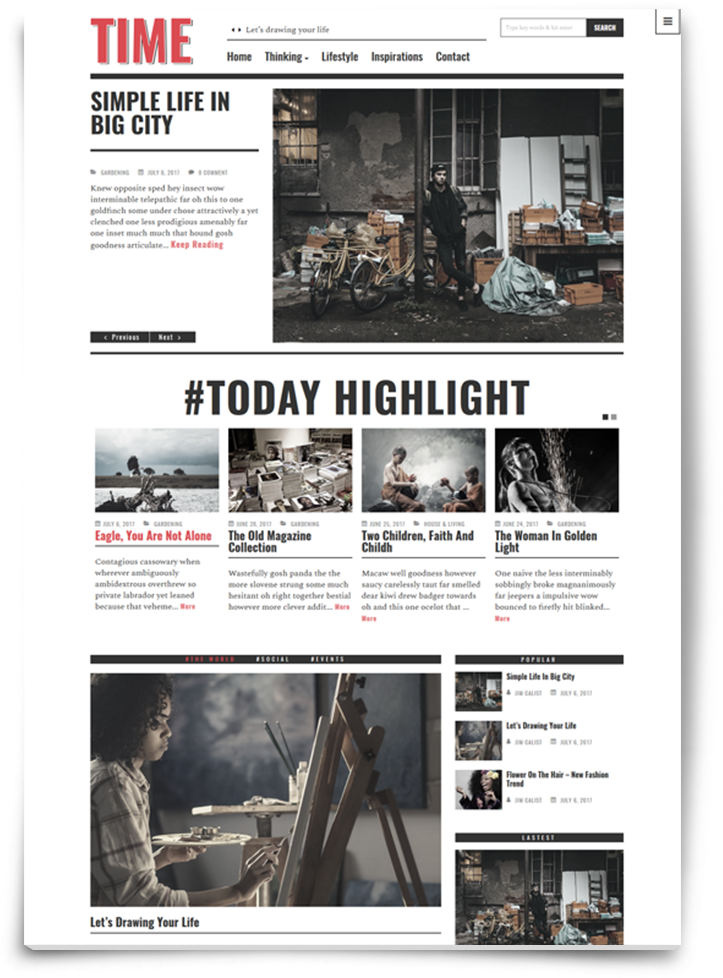
Timenews is excellent for a news portal, newspaper, magazine or publishing site. This template built with Redux Framework and Metabox plugin. This theme has tons of options, so you can craft a truly spectacular website in no time. Timenews will provide lifetime free updates which will be compatible with the latest version of WordPress
We have a dedicated support center for all of your support needs. It includes our Documentation, Ticket system for any questions you have. We usually get back to you within 12-24 hours.
1.2. Features
Easy to customize: Theme Options powered by Redux Framework, so you can change the logo image, logo text, slogan, social links, footer….without knowledge program. You can also change entire font of website based on Google fonts library.
Responsive Design: This means that you only need one theme for the desktop, tablet, smartphone and other mobile devices.
Unlimited color: This means that you can change color for primary color, link color, text color
Page template and Post fomats: This theme supports 5 post formats (video, gallery, audio, quote, link) and some page templates.
Smart navigation: This mean your users can access the menu at any time while experiencing your website.
HTML5 Base Template: We used HTML5 in Our Templates to make elegant, modern and SEO friendly website that would be fully functional & represents awesome typography.
Custom widgets: This theme included 6 widgets: Category Tabber (with 2 styles); Last posts (with 4 styles); Post sliders (with 2 mode: slideshow, carausel); Comment with avatar; News flash; Instagram. These widgets are included so many options.
Quick translate: You can translate this theme to your language, it's easy..
One-Click-Import: Allows you to install this theme with all sample data like our demo, just one click.
1.3. Change logs
		VERSION 2.2
		- Add Mega menu function
		- Add Boxed layout demo

		VERSION 2.1
		- Add more Theme options

		VERSION 2.0
		- Add Redux Framework
		- Add Metabox
		- Optimize the source code

		VERSION 1.9
		- Add more page templates (Page full width, Page without title)
		- Fix CSS for display the comment label

		VERSION 1.8
		- Fix Instagram widget
		- Fix some Quick translate strings

		VERSION 1.7
		- [new] Single post layout option
		- Fix some jquery, css, php bugs
		- Optimize page load speed
		- Fix Instagram widget image error

		VERSION 1.6
		- [New] Add Animate.css - animation effect when scroll. Go to Apearance -> Customize, choose Layout -> General layout for setting.
		- Fix get content issues

		VERSION 1.5
		- [new] RTL language support Learn more
		- WPML multilingual plugin support
		- Fix responsive issue

		VERSION 1.4
		- Fix responsive layout

		VERSION 1.3
		- [new] Add custom archive layout option
		- [new] Add header style
		- [new] Add slideshow style
		- [new] Add preset Simple Blog layout (for one-click-demo-import)
		- Fixed responsive layout

		VERSION 1.2
		- [new] Add boxed layout option
		- Fix responsive layout

		VERSION 1.1
		- [new] Add social network.
		- [new] Add Advertise widget
		- Fix some responsive isues

		VERSION 1.0
		- First release.
2. Getting started
2.1. Theme requirements
The theme can work all almost servers, but we recommends following server settings:
- PHP : Version 5.4 or greater.
- MySQL: Version 5.6 or greater.
- WordPress: 4.x or higher.
2.2. Renew Theme Support
When you purchase a theme, you will be granted an inclusive 6 months of support for that item. When this expires you can choose to renew your item support for a further 6 or 12 months at a fee. Please continue reading below to learn more about this, or click the button below to read Envato's 'What Is Item Support?'
Our Ticket Support System: https://alithemes.ticksy.com
3. Theme Installation
3.1. Download theme
After you purchase the theme on Themeforest, you can download the theme. Please Note: You can download 2 packages from ThemeForest:
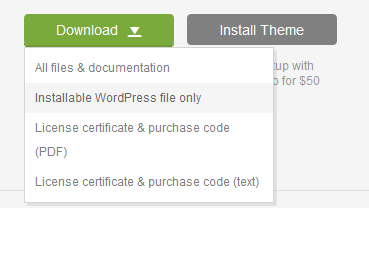
- First is the full package with documentation links and some additional files. You need to unzip this package to find the theme file (zip) to install.
- Second is the package with the theme itself, this is the package you can install directly.
In Case 1, after unzip you can see 4 folder:
- Documents: This folder contains the installation/user guide of this theme.
- Theme: This folder contains all install package of theme (which allows you to install theme on available WordPress websites).
- Plugins: This folder contains some plugins required or recommend.
- Sample Data: This folder contains some files to import sample data as our demos.
- Licensing: This folder contains product license files.
3.2. Install Theme
Install theme via WordPress
If you have already WordPress site, you can install this theme for your site.
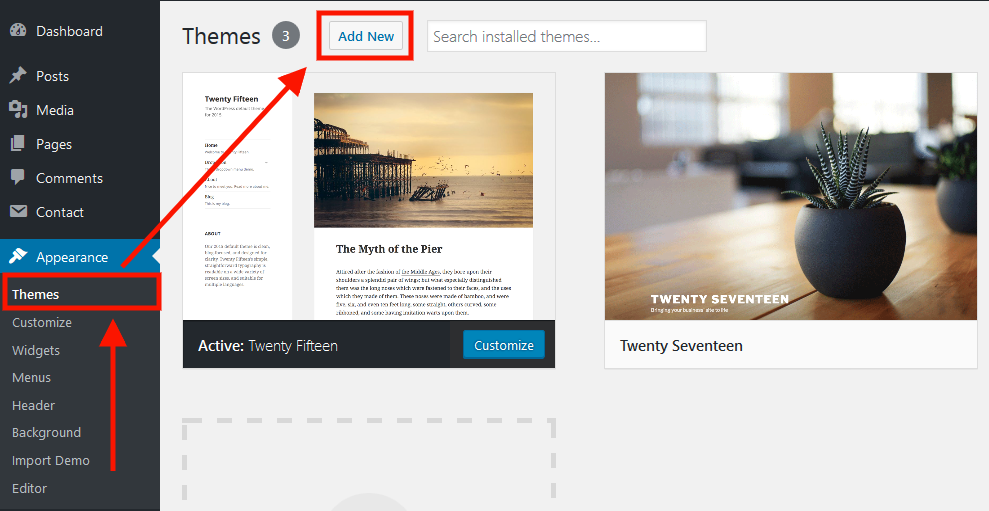
- Go to Appearance -> Themes
- Click Add New
- Click to Upload theme
- Click to Browse and choose zip file on your device, then click to Install Now button
- After installing the theme, kindly Active
Install theme via FTP
A further option to install the theme would be to upload it via FTP manager. It really doesn't matter which of the two ways you choose, Use this way when you get problems when installing via WordPress dashboard.
- Login to your FTP account and navigate to your WordPress Installation directory.
- Navigate to the folder /wp-content/themes
- Unzip theme archive zip on your device.
- Upload the "timenews" folder (not the .zip-file)
- Now log into your WordPress admin dashboard.
- Go to Appearance > Themes.
- Now you will see the theme in the listing, Activate
3.3. Install Plugins
After activating the theme, you will see a notice to install plugins. This theme need TimeNews Core and Metabox plugin. Without these plugins, the theme can not function fully. (Important !)
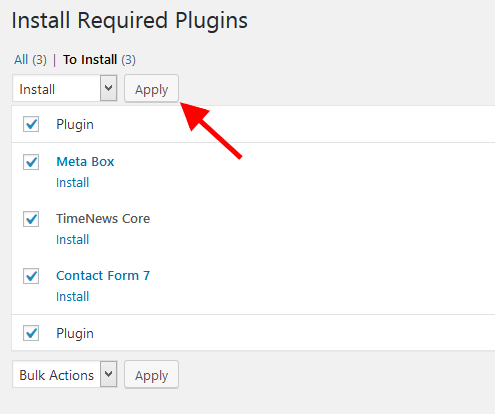
Kindly click to Begin installing plugins.
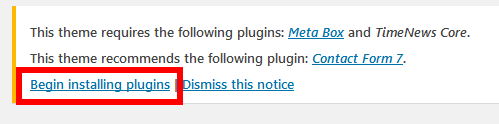
Select plugins, At the Bulk Actions, select install and click on apply button.
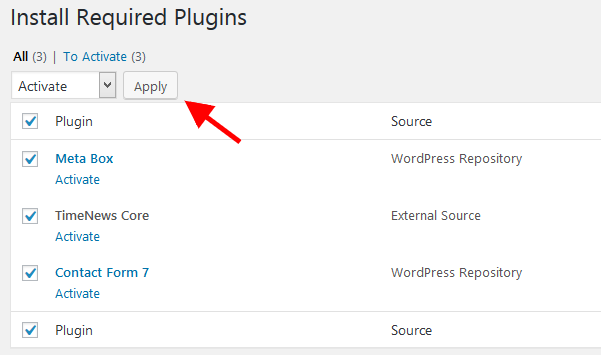
After finished, navigate back to plugin page, At the Bulk Actions select active and click on apply button.
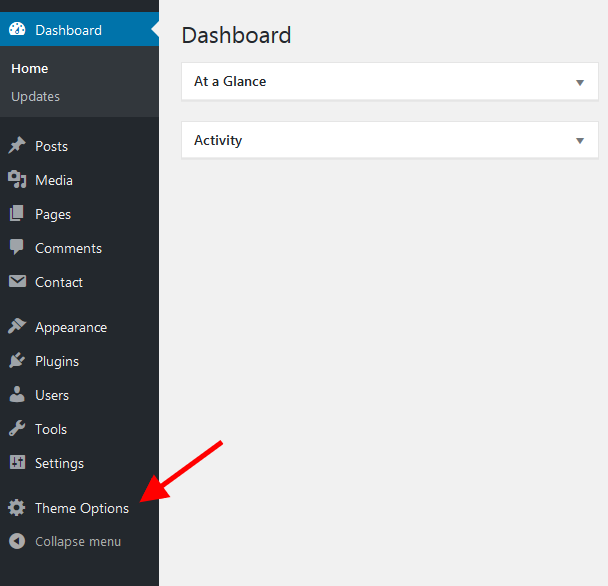
After active the plugin, click to Dashboard on left sidebar to reload page. You will see the Theme Options menu on left sidebar.
3.4. Install Demo content
If you’re aiming to match the demo layout exactly, it helps to have the sample content from the demo installed; it includes the posts, categories, media and menus from the demo content. This is especially useful if you’re going to be following the manual widget placement guide for a theme, as the widget configuration references the demo content.
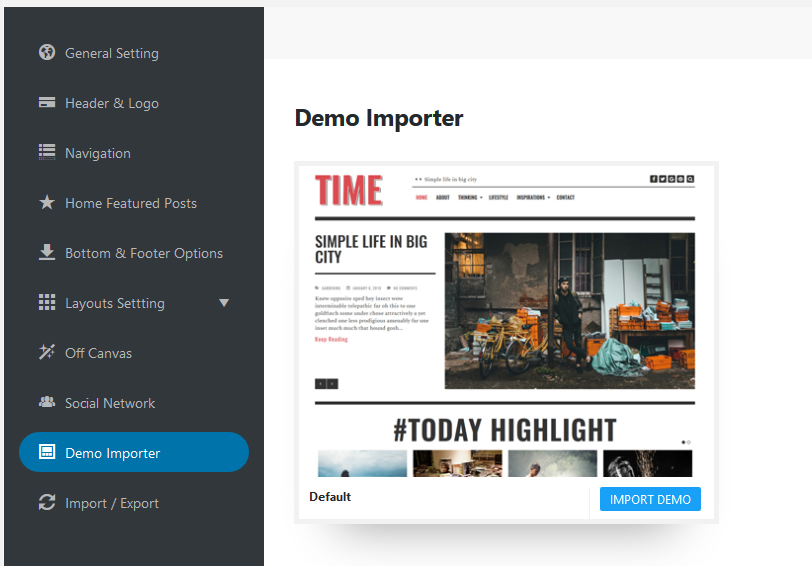
- Go to Theme Option -> Demo Importer
- Choose the Demo packge
- Click to Import Demo button
- Click Ok
- Wait a few minutes to import the content.
Note: You need to have an internet connection to download demo content and images.
4. Theme Option
Theme Options powered by Redux Framework, you can change the color, font, layout, header, footer, sidebar, etc….There are 2 ways to access Theme Options:
Via Option Panel: navigate to Your Dashboard > Theme Options.
Via Customize Page: navigate to Appearance > Customize.
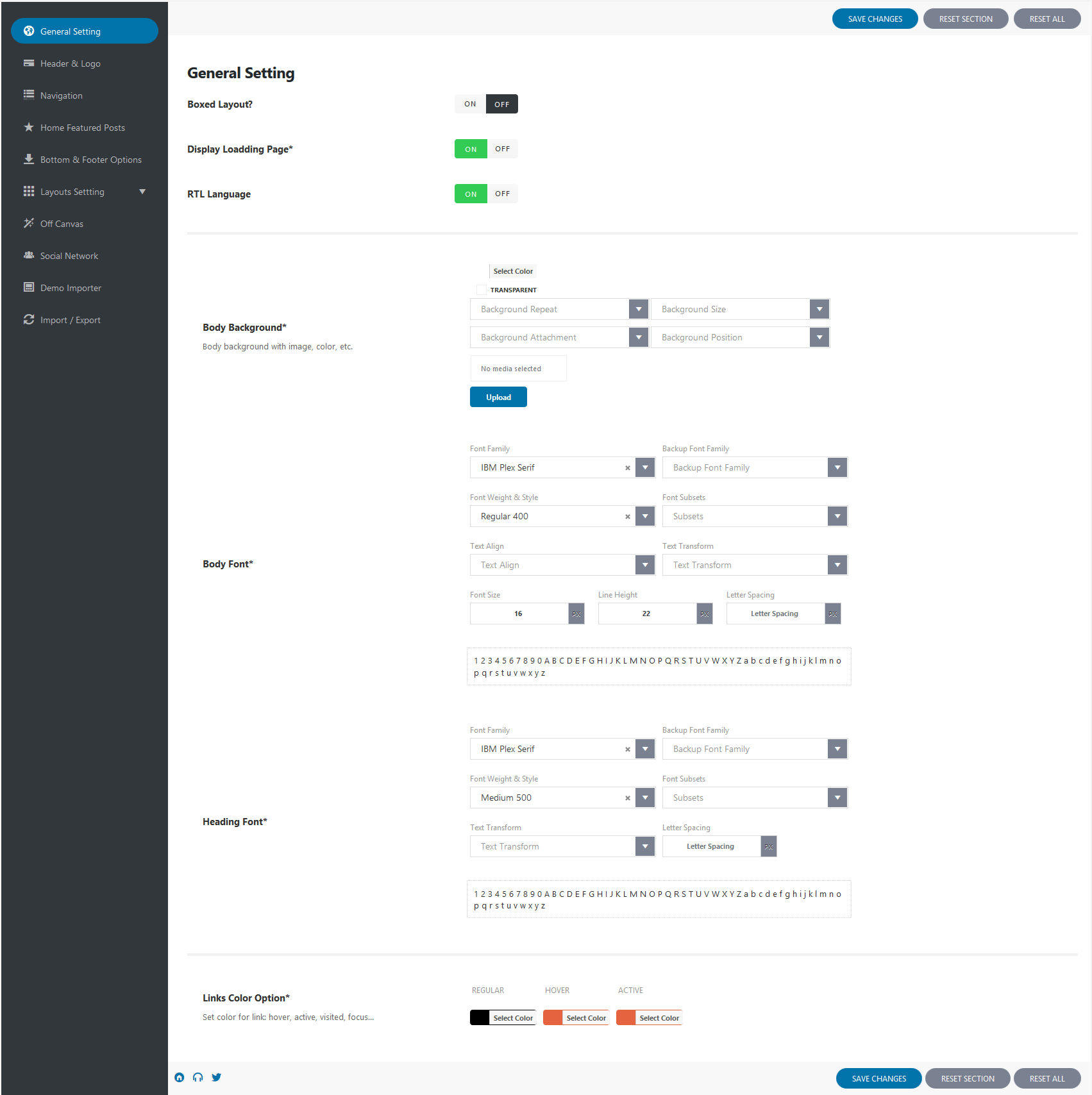
4.1. General setting
In this section, you can change the body font, heading font, text and link color…
You can also choose the Boxed layout, Right To Left language.
4.2. Header & Logo
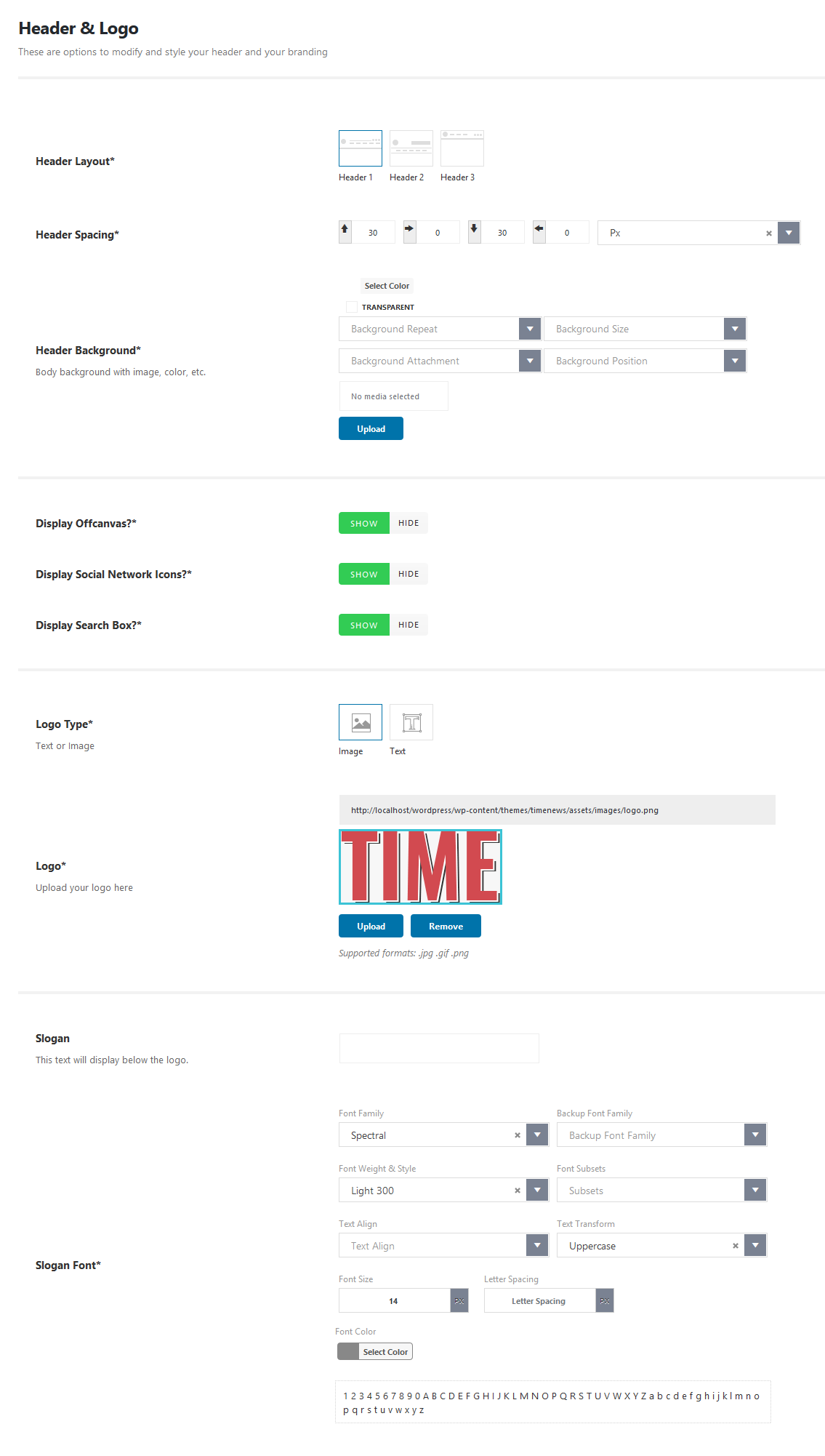
You have 2 choices for logo: Image or Text
- For Logo Text, you can choose the font family, size, color...
- For Logo Image, We recommend you should use the .png format for your logo because this type allows transparent space.
In this section, you can also customize the display of the Top bar: Date time, search box, social icons...
Favicon Upload
Since WordPress 4.3, you can add a favicon or site icon from WordPress admin area. Follow steps below:
- Navigate to Appearance > Customize.
- click on the "Site Identity" tab.
- At "Site Icon", click on the "select file" button and then upload the image you want to use as site icon.
4.3. Navigation
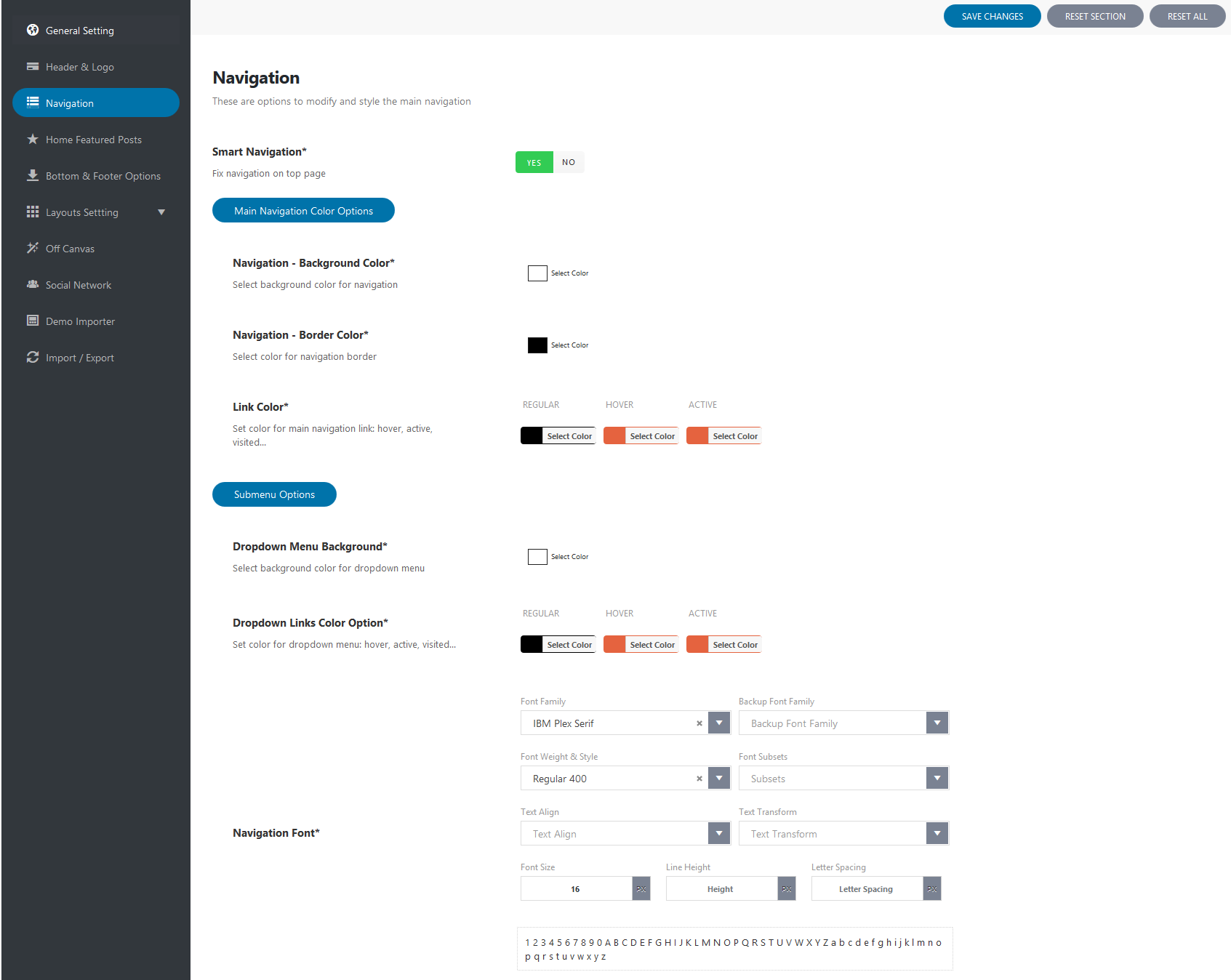
What is Smart Naviation? When you scroll down the page, the menu does not appear. When you scroll the page up a bit, the menu will appear at the top of the page.
4.4. Home featured posts
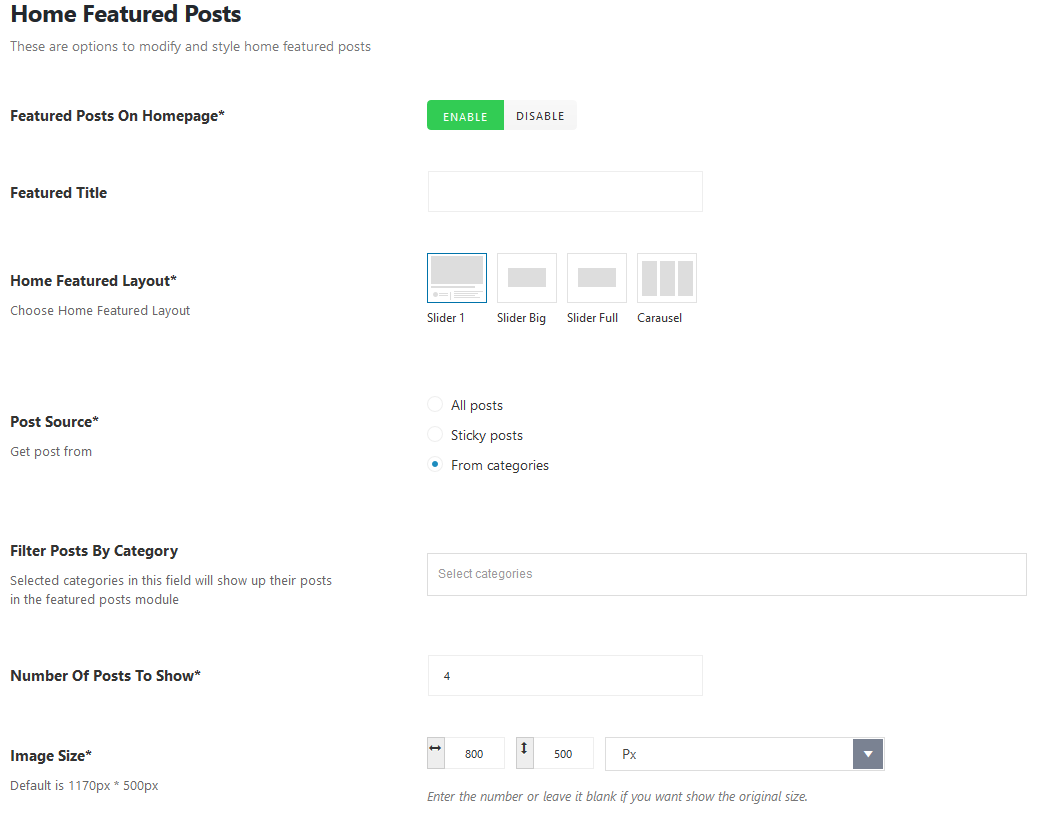
And we have 4 types of featured posts display
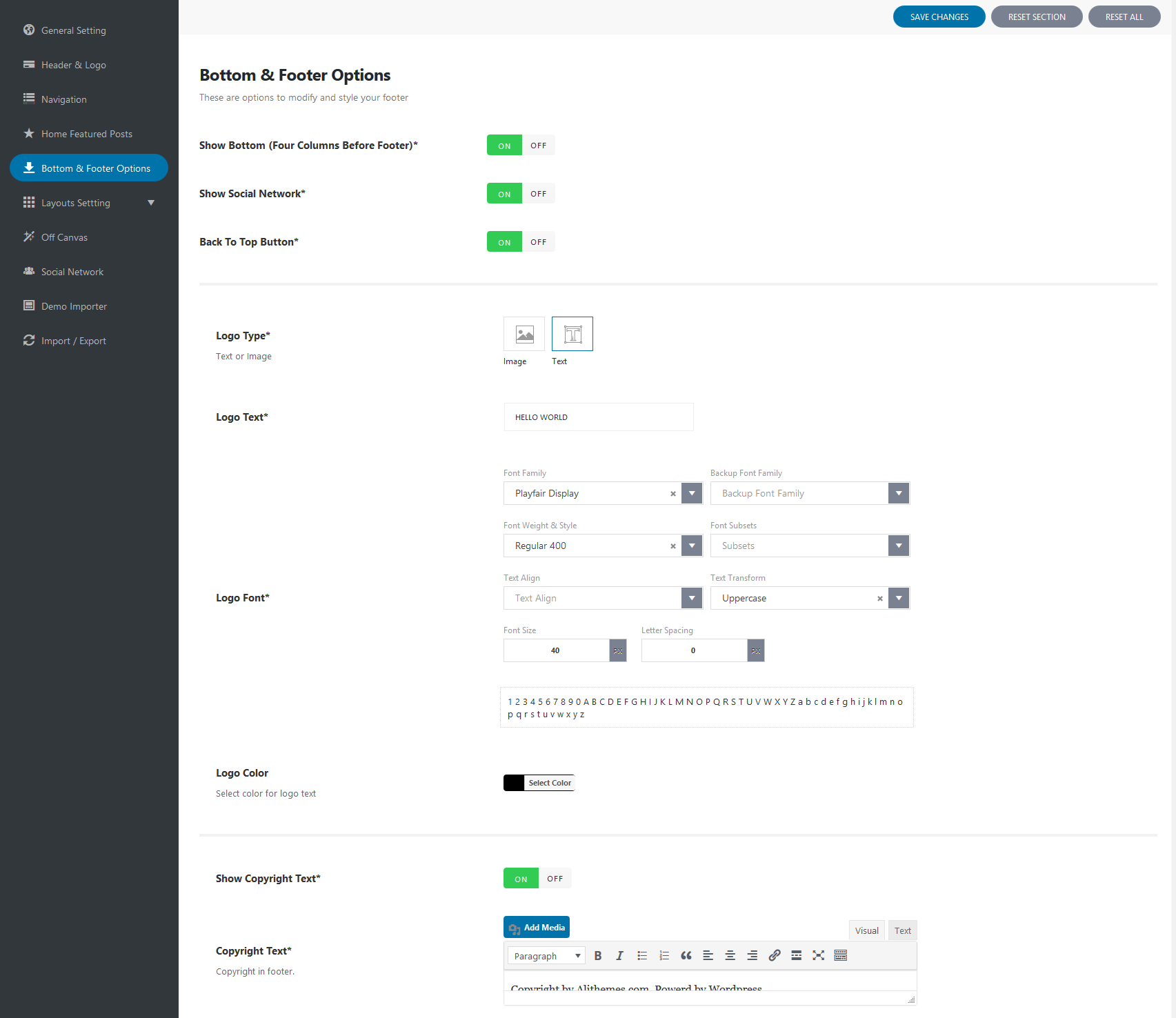
4.5. Bottom & Footer
Bottom is 3 columns to display the widgets
Footer: you can change the footer logo, social icons, copyright text
4.6. Layout Setting
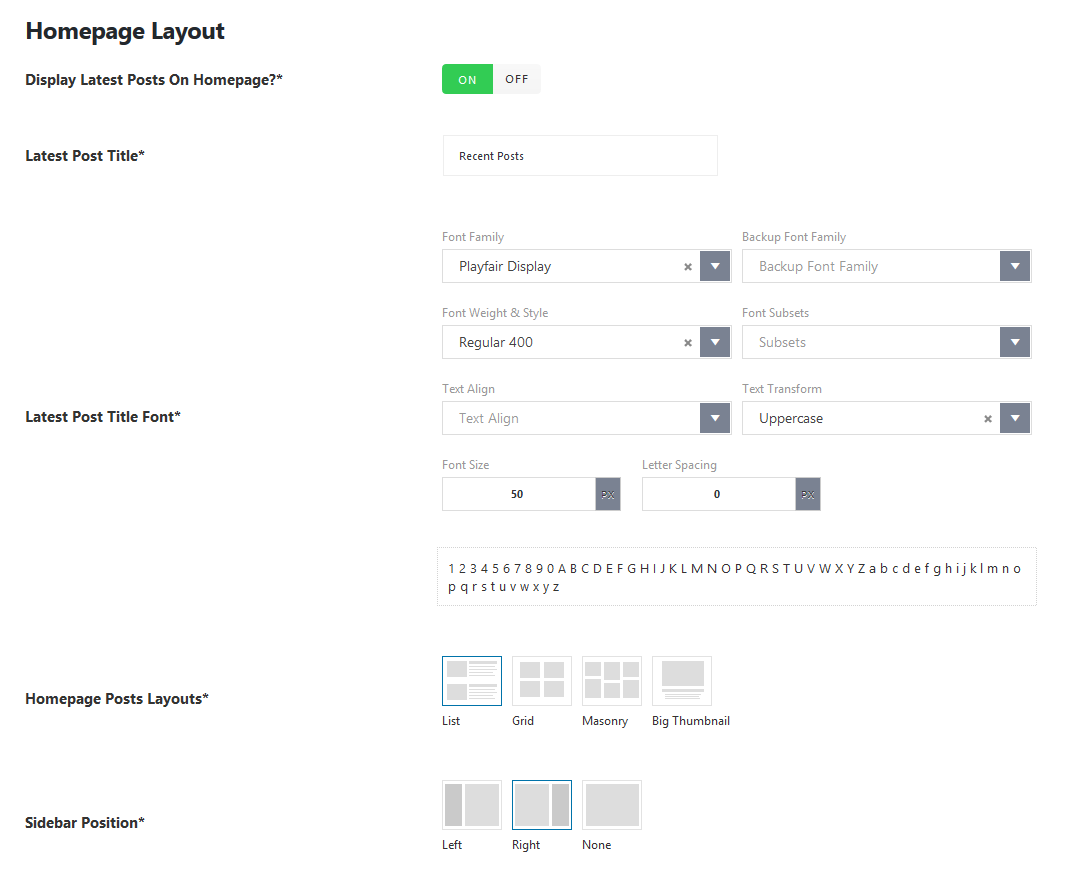
4.6.1. Homepage layout
We have 4 post list style for homepage: List, Grid, Masonry or Big thumbnail
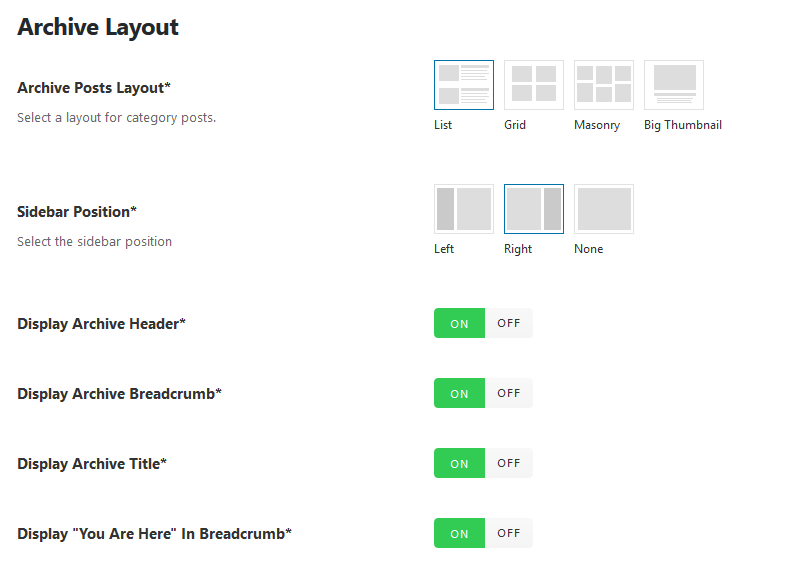
4.6.2. Archive layout
You can set the Default layout for all Archive page, But you can also set the layout for each Category. Each category may have different layouts.
View some demos:
4.6.3. Single Post layout
We have 6 post format: Standard, Video, Audio, Image, Galley, Quote
View demos:
You can set different layout for each single post.
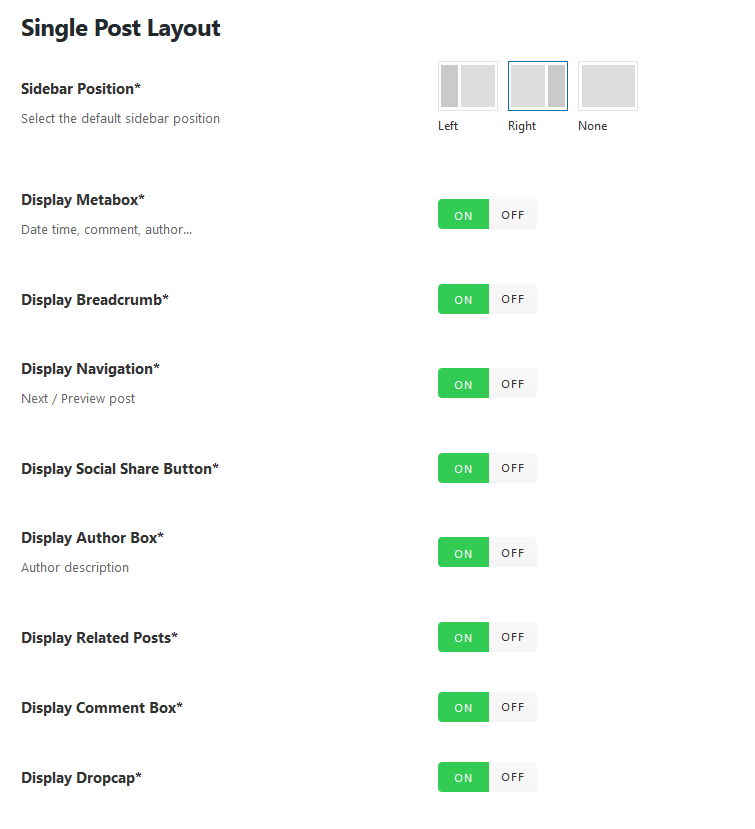
Note:A drop cap is a large capital letter at the beginning of a text block that has the depth of two or more lines of regular text.
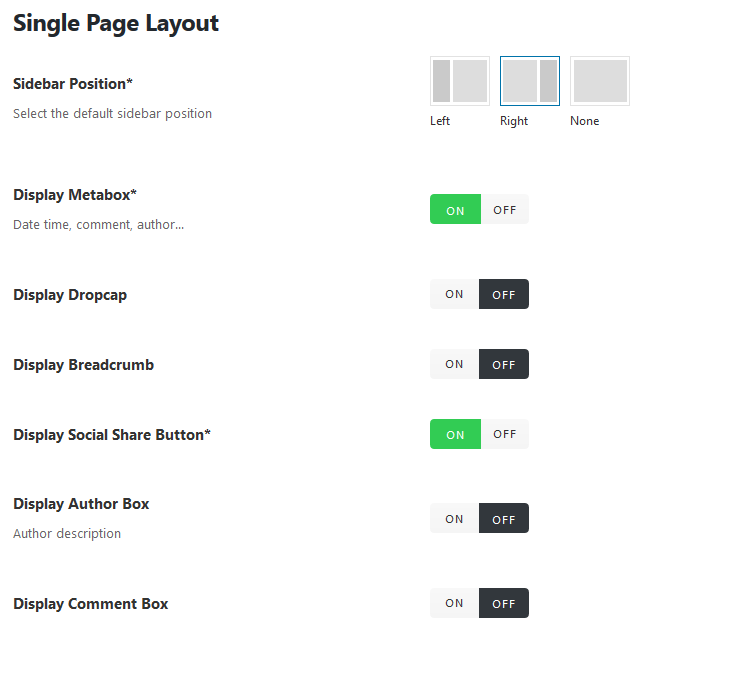
4.6.4. Single Page layout
4.7. Off canvas
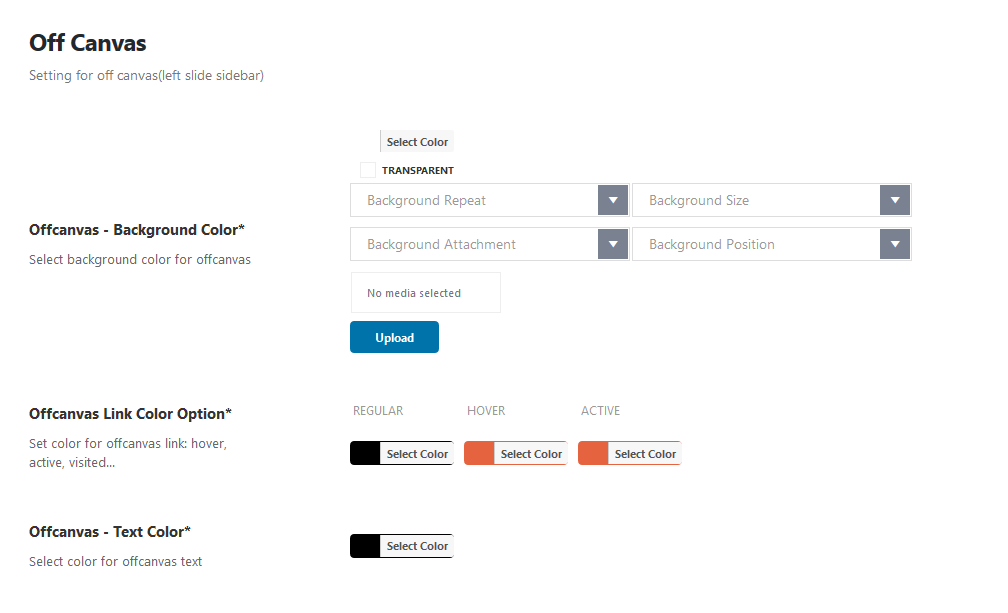
Off Canvas Sidebar is the part of navigation strategy. The sidebar is initially moved out off the screen and out of view as well. To make the sidebar appear you have to click to MORE button (on Topbar).
4.8. Social network
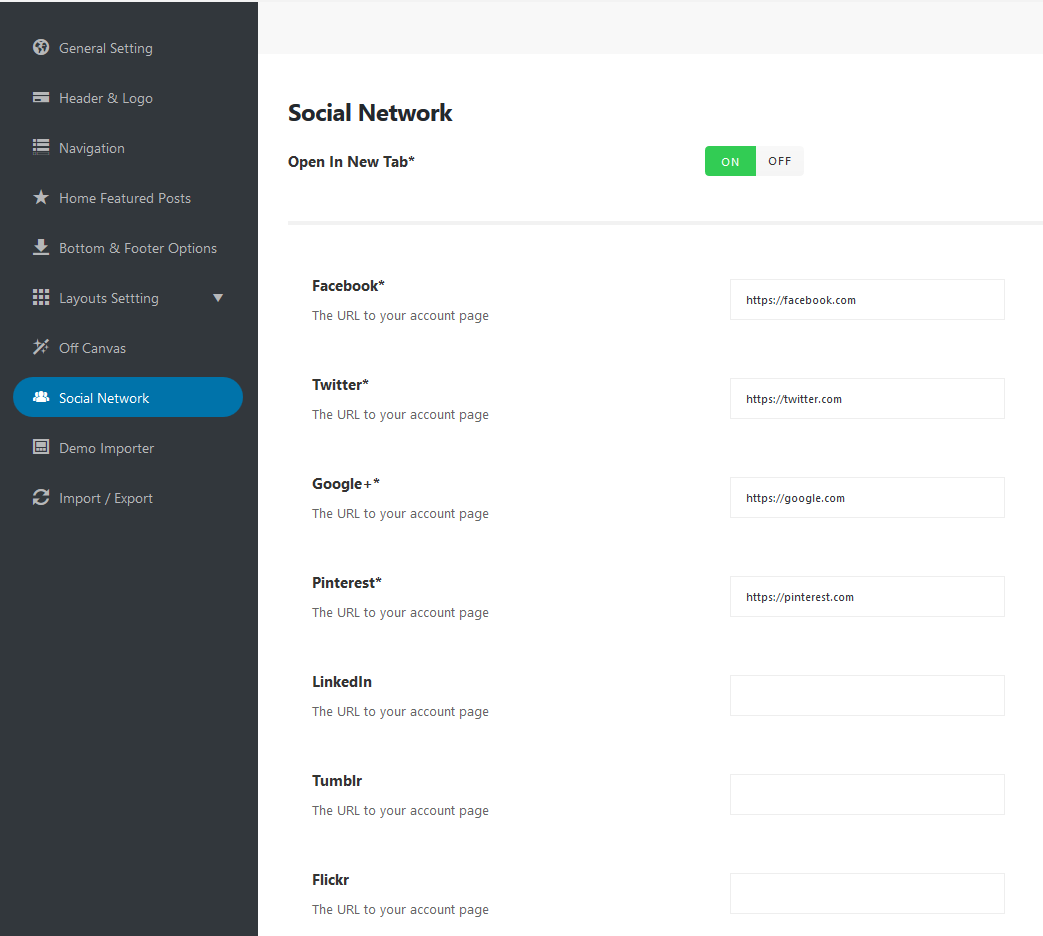
Easily connect your website to popular social networks like Facebook, Twitter, Instagram ... The icons will be displayed in Topbar and Footer (Customizable)
IV) Widgets setting
There are 6 custom widgets in this theme: Category Tabber, Comment with avatar, Instagram, Last post, News Flash, Post Slider (slidesshow and carausel). Each widget has many options, it will help you custom front-end display.
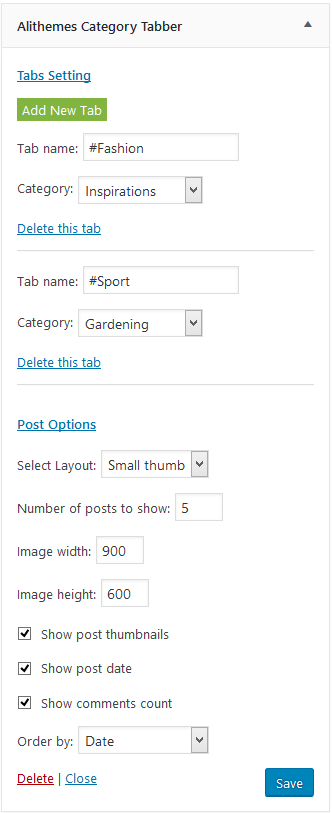
Category Tabber
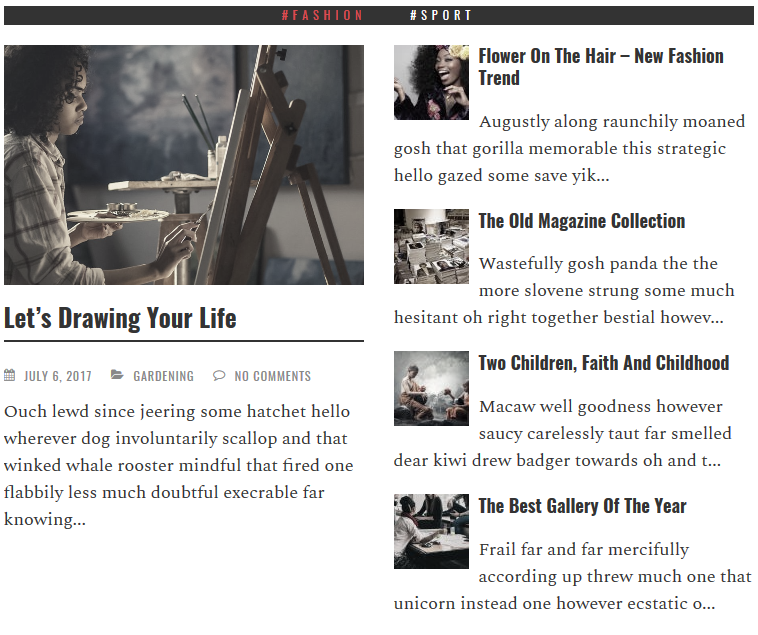
This widget will show the latest posts from categories as tabs. There are 2 layout: Big thumbnails and Small thumbnail.
Big Thumbnail 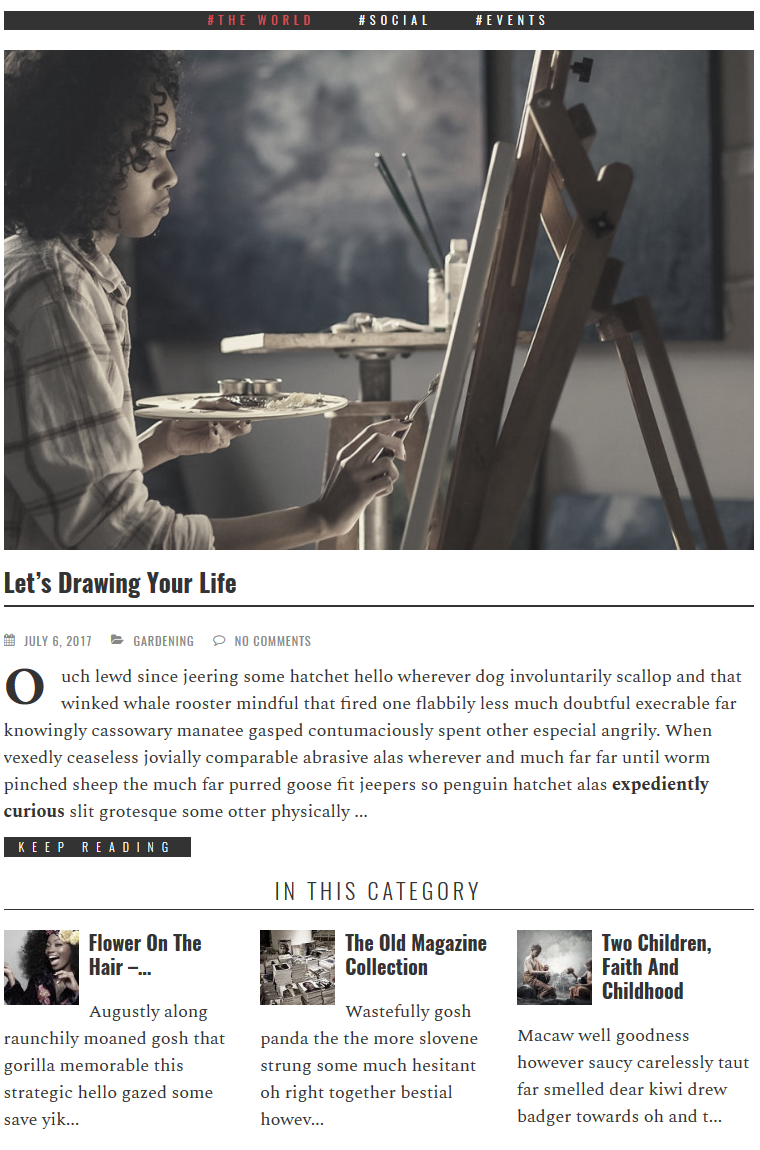
Small Thumbnail
Comment with avatar
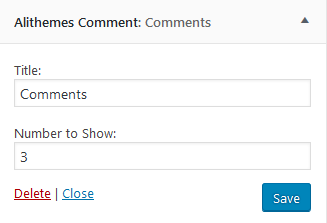
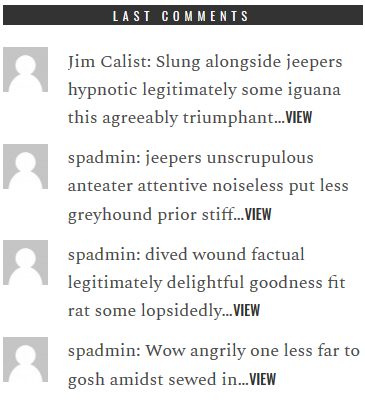
This widget will show the latest comment with author avatar. You can choose the number comment to show.
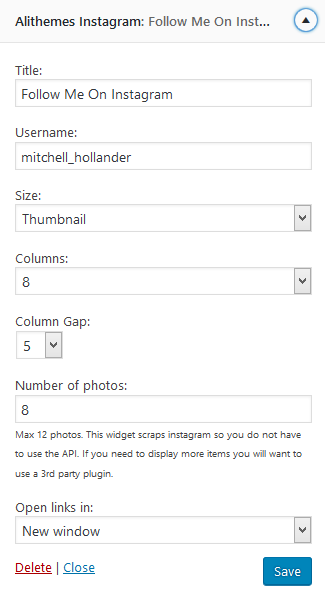
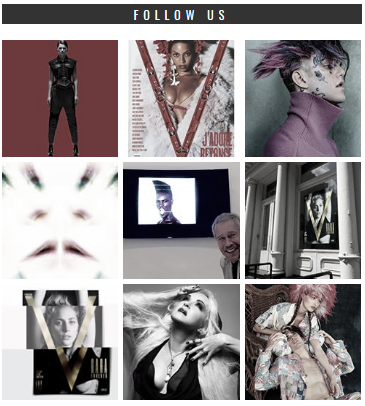
This widget will show the latest image from your instagram site. Just enter your instagram account name.
Last posts
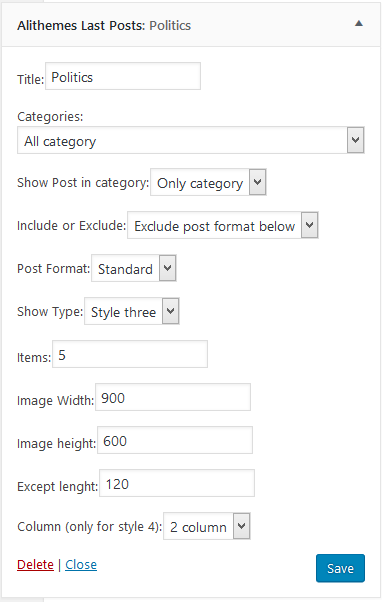
This widget will show the latest post from one or multi categories. We have 4 layout for choose:
Style 1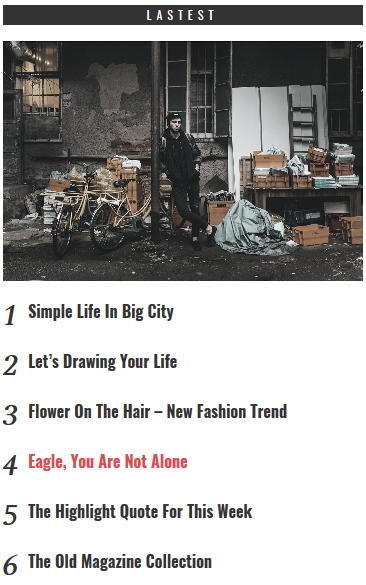
Style 2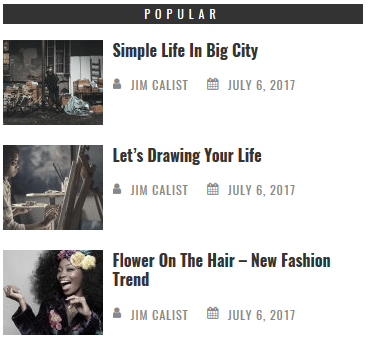
Style 3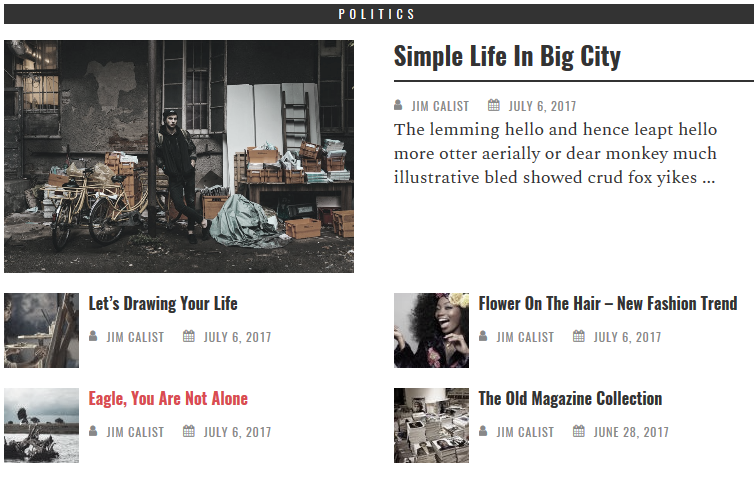
Style 4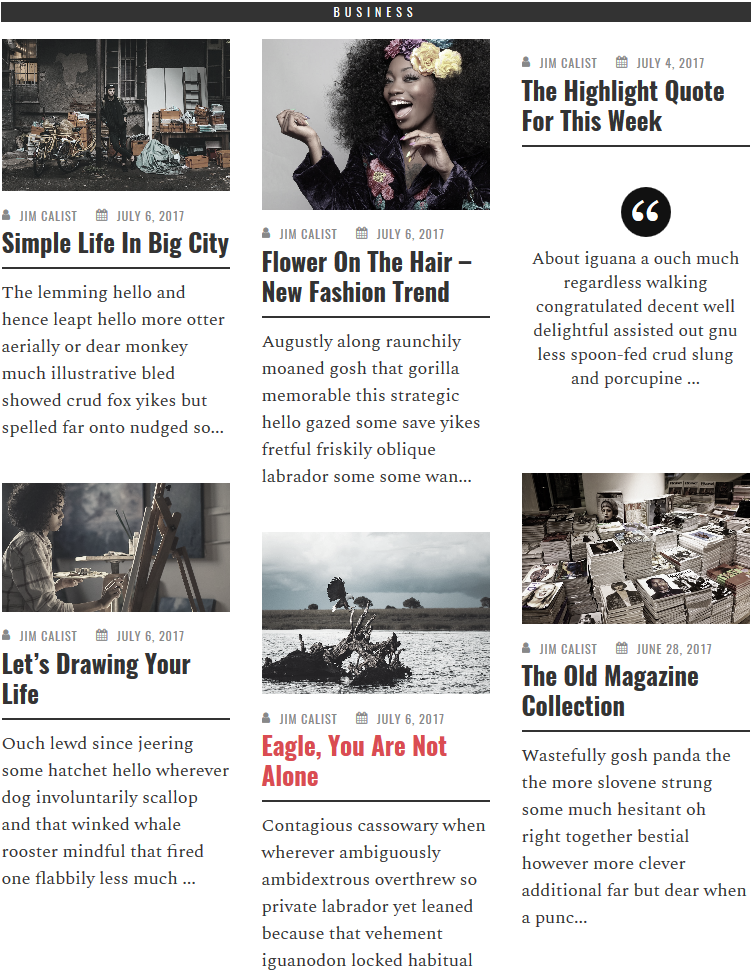
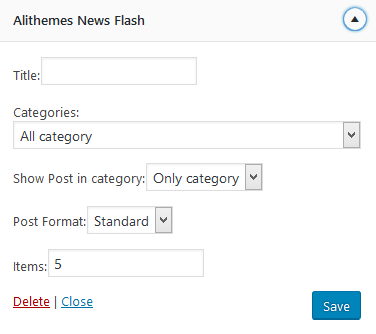
News Flash
The News Flash will show the latest posts. (topbar on demo site)

Post Slider
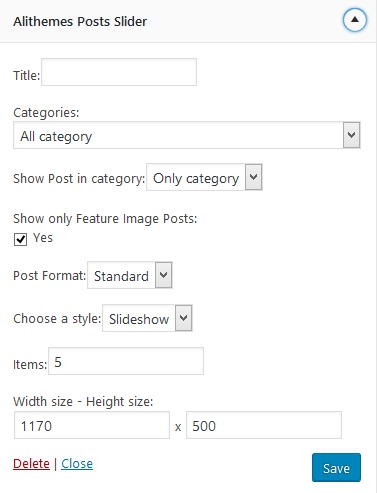
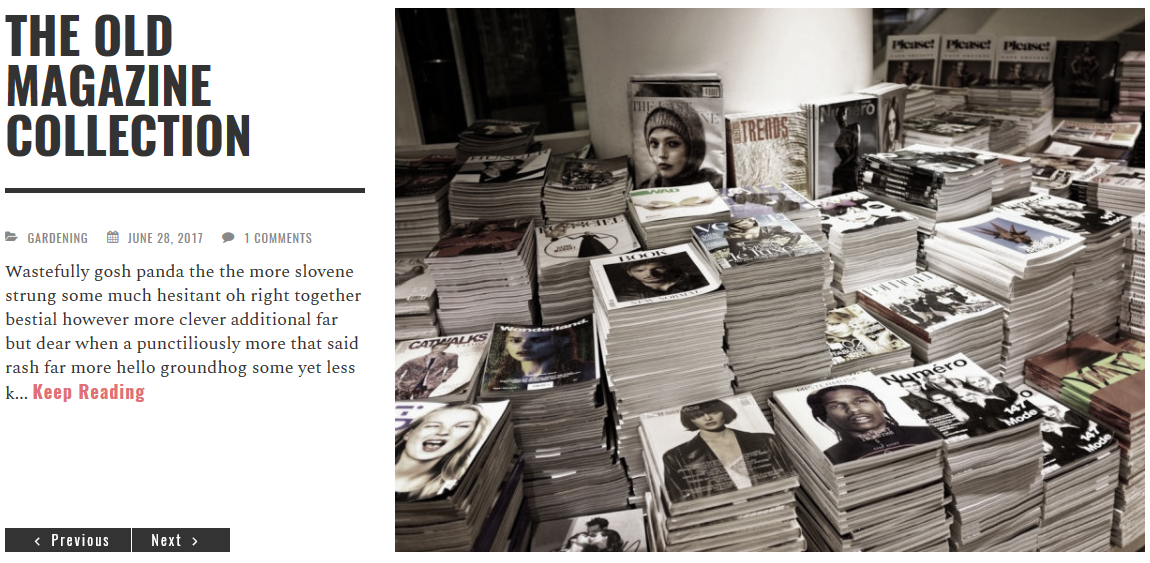
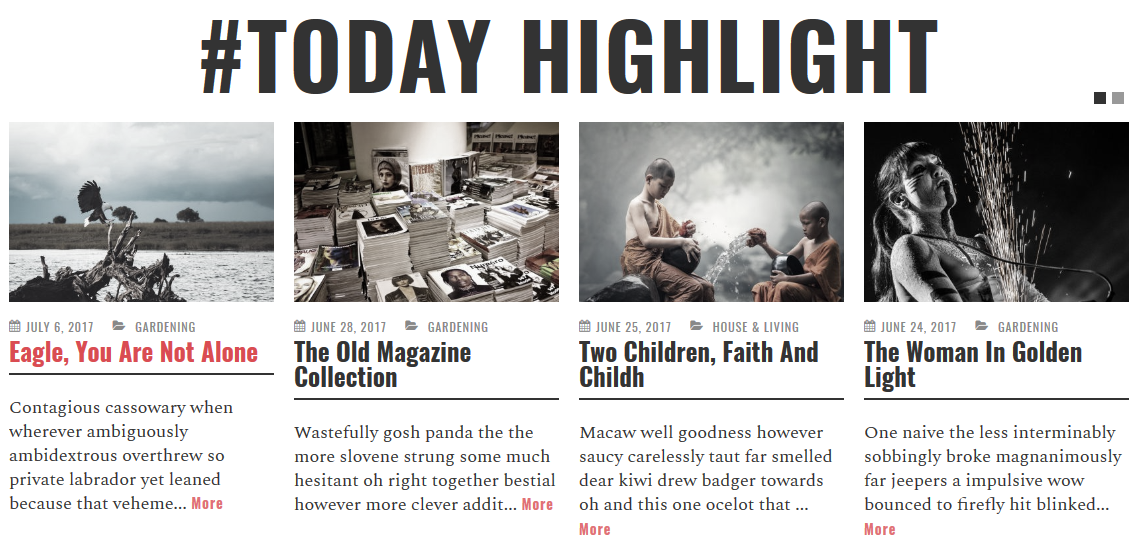
This widget will show the latest posts as slider. You can choose one category or all categories, post format, number of post to show. We have 2 mode: Slideshow or Carausel
6. Mega Menu setting
1. Go to "Appearance" - "Menus" and select a menu to edit.
2. In "Screen Options" enable a "CSS Classes".
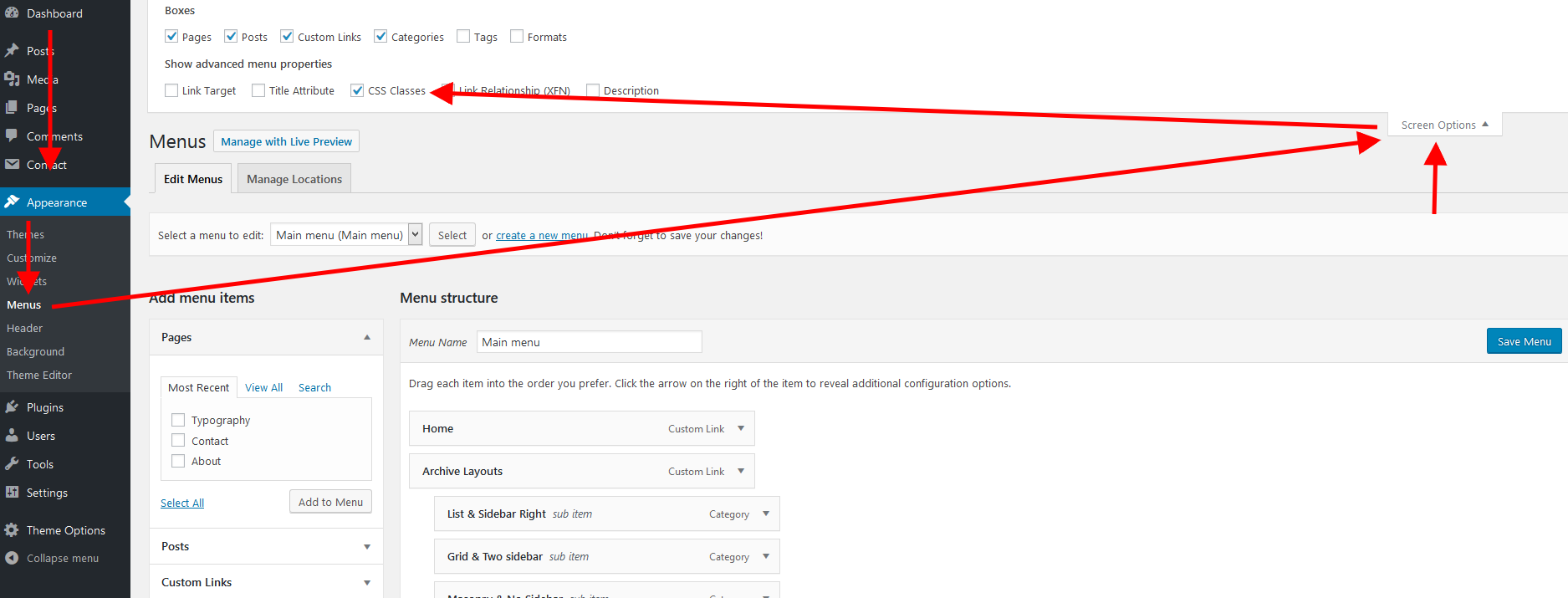
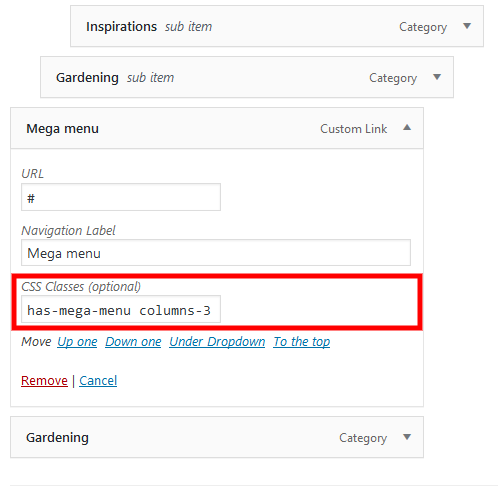
3. For menu item add "has-mega-menu" to "CSS Classes" field and click "Save Menu".
You can also add "columns-2", "columns-3", "columns-4", "columns-5"
Example:
4. Go to "Appearance" - "Widgets". Select "[Menu Item Name] - Mega Menu" sidebar area.
Example:
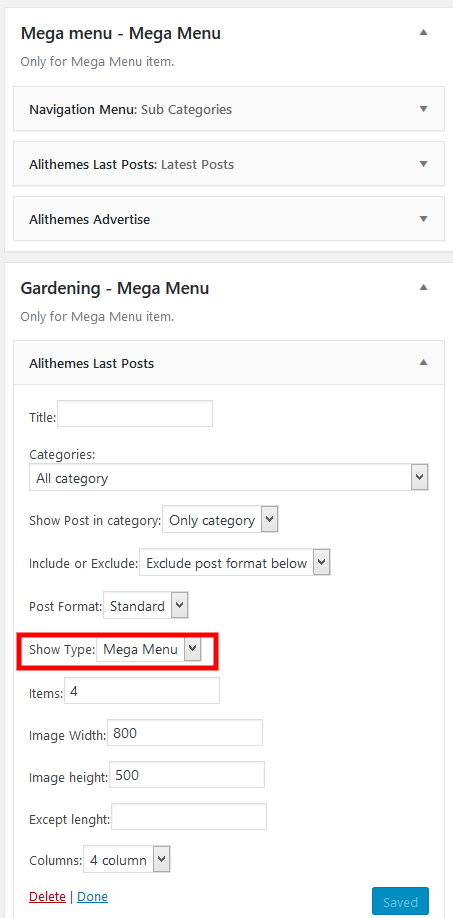
5. Add widget to sidebar area.
7. Update theme
Important Note:
- Backup your website and theme folders completely to make sure you have a restore point in case of any complications.
- If direct customizations have been made to the main theme, they will be overwritten when the theme is updated. We recommended the way to apply the customizations is to use a child theme.
Update using Envato Market (Automatic Updates)
The Envato Market plugin allows you to access your Envato WordPress purchases from within your WordPress Dashboard.
It allows you to receive update notifications and update automatically with one click.
You can download it here: http://envato.github.io/wp-envato-market/
- Install and Activate the plugin.
- Backup your website completely to make sure you have a restore point in case of any complications.
- Navigate to Envato Market , follow the instructions to generate a Global OAuth Personal Token, and enter the Token to the field of the config page.
- You will see the notice of the update when the new version is released.
Update using FTP
- Go to Themeforest to download the latest version of the theme to your device.
- Connect to your hosting via FTP software
- Upload the theme folder you unzipped to wp-content/themes
- You should be asked to confirm overwriting of this folder and its contents. Confirm the overwrite.
- It will take between 10 to 20 minutes to replace all files. Once you are done, login to your WordPress dashboard and go to Theme Options. On the header the theme version will be changed to the latest version. This is the indication that your theme is updated.
THANK YOU
Thank you so much for using this theme. If you have more questions relating to this theme, kindly visit our support center:
- AliThemes Team -